
Sell inbox calm. Keep the margin.
CogSnug Mail Archiver is an Outlook add-in that files email in one click and learns how each person works. Resell it to your Microsoft 365 clients under your own pricing, with one licence per client and one invoice from us.
- 30-day free trial, no card
- Nothing for you to host
- New Outlook, classic & web
- UK-based support
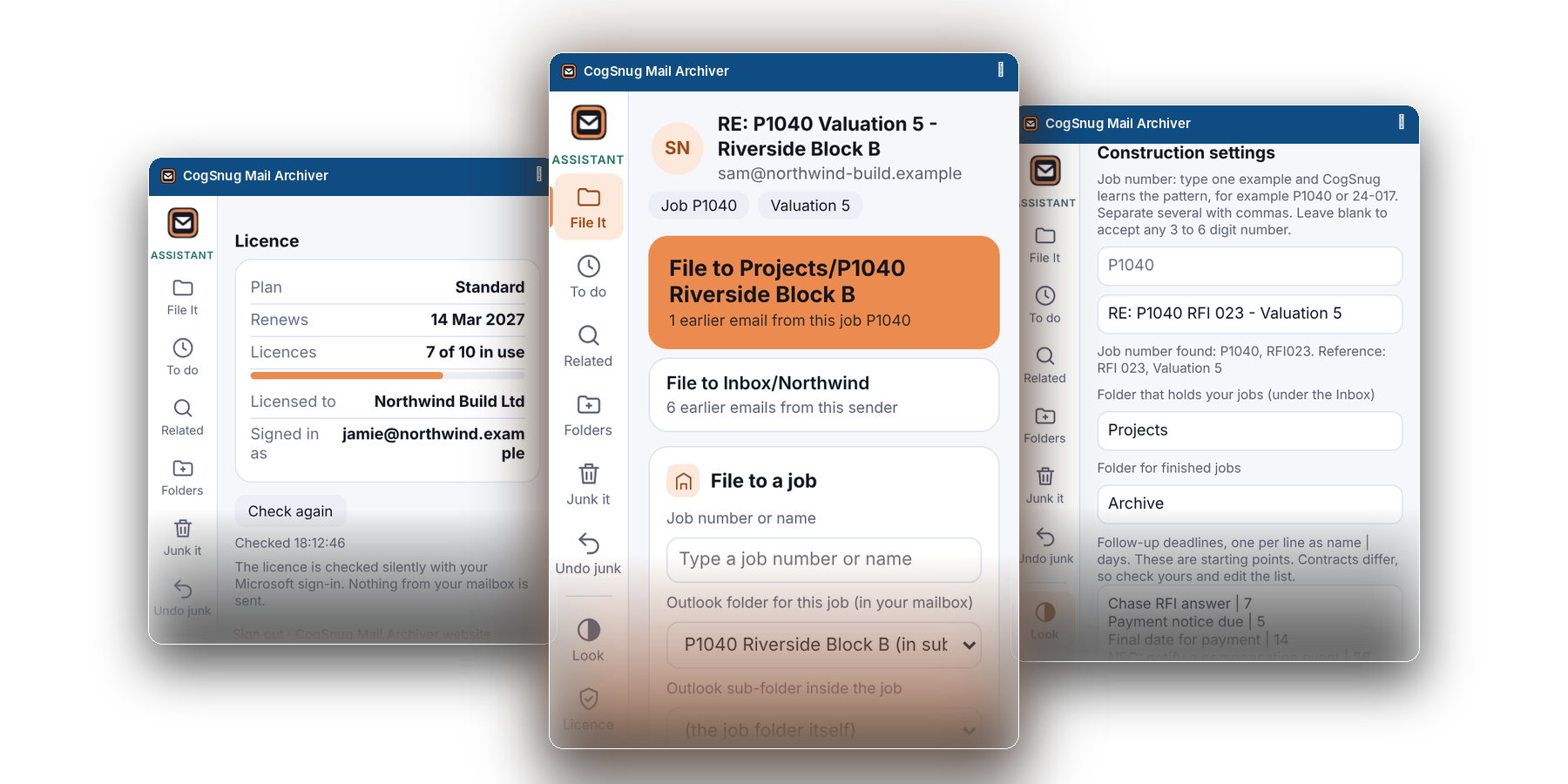
A product your clients use every day
Email is the one thing every client touches all day. CogSnug turns a daily annoyance into a monthly line on your invoice, without adding a server for you to look after.
Recurring revenue
Licensed per user, per month. Set your own price, keep the margin, and add or remove users at renewal as the client grows.
Simple to roll out
Deploy from the Microsoft 365 admin centre under Integrated apps. We build the add-in package for each client.
Nothing for you to host
Filing runs inside each person’s own Outlook and talks to Microsoft with their own sign-in. The add-in only checks the licence.
Works where others do not
New Outlook, classic Outlook for Windows and Outlook on the web. Many filing add-ins do not support the new Outlook. This one does.
Calmer for your helpdesk
Every filing can be undone for 48 hours, nothing is permanently deleted, and Find related searches every folder at once.
A vertical you can own
Construction mode is included in every plan: job-number filing, a job picker and contract-deadline reminders for your building clients.
From enquiry to billing in four steps
You keep the client relationship and the pricing. We look after the product.
Apply
Use the form to tell us about your business. We are usually in touch the same working day.
Pilot it
Try the full Assistant on your own tenant for 30 days, no card needed. Every filing can be undone.
We package it
We build the add-in file and setup notes for each client, ready to deploy from the admin centre.
Deploy & bill
Roll it out to the client’s users and bill them your way. We send you one invoice.
Try the numbers
Slide to match your client base and the price you would charge. Everything is per user, per month, excluding VAT.
- Users in total150
- You bill your clients£0
- Your cost£0
- Margin over a year£0
Illustrative only. Your cost here is our published Standard list price, £6.95 per user per month billed annually, excluding VAT. Partner pricing is on application and is quoted separately.
Two plans, one add-in
Start with Standard. Add managed Automation for the clients who want a weekly tidy done for them.
Standard
- One-click File it with learning
- File a sender or a whole conversation
- Find related emails
- To Do, calendar and snooze
- Categories, folder tools and 48-hour undo
- Construction mode and job folders
- New Outlook, classic Outlook and web
Pro
- Everything in Standard
- Managed weekly auto-tidy, preview first
- Learns from folders and deletes
- Review page to approve what it learned
- Personal and company-wide rules
- Admin Company tab
- Guided onboarding by us
Files by job number, not just sender
Your building and contracting clients live in job numbers. Construction mode is included in every plan, so you can pitch it without a separate product.
- Reads job numbers such as P1040 from the subject and suggests the job folder.
- Picks the sub-folder from the wording: RFI, variation, valuation, defect and more.
- Contract-deadline reminders in Microsoft To Do, with editable names and days.
- Closes out finished jobs to Archive, and lists a job’s emails for Excel.
Before you ask
How does the partner programme work?
You resell CogSnug Mail Archiver to your clients under your own pricing and keep the margin. You get one licence per client and one invoice from us. Partner pricing is on application: send the form and we will come back to you.
What do my clients need?
A Microsoft 365 or Outlook.com account and any of new Outlook, classic Outlook for Windows or Outlook on the web. The panel pinned beside the email needs a work or school account; on a personal Outlook.com account it opens from the ribbon. Microsoft shows the permissions list before anyone approves, and some larger tenants need an administrator to approve it.
How do we deploy it?
Centrally, from the Microsoft 365 admin centre under Integrated apps, using the add-in file we build for that client. Rollout can take several hours to reach every user. Individuals can also add their own copy from My add-ins in Outlook.
Do I need to run a server?
No. Standard runs inside each person’s Outlook and talks to Microsoft with their own sign-in. The managed Automation in Pro runs on our server, through Microsoft access the client approves, and we set it up and look after it.
Is my client’s email sent to CogSnug?
No. Filing runs in Outlook and the mail content is not sent to CogSnug servers. The add-in only checks the licence.
What can I charge?
Your price, your call. Partner pricing is provided to you directly once you apply, and the margin calculator above shows what your margin could look like.
How does the trial work?
Thirty days of the full Assistant, starting at first sign-in, with no card. At the end, filing pauses until a plan is chosen. Mail is never touched either way. Try it on your own tenant before you pitch it.
What about Pro and Automation?
Pro is the Assistant plus managed Automation: the weekly tidy, learning from deletes, the Review page and personal and company rules. It is by invitation while it is in testing, from 5 users, with a £150 setup waived from 20 users. Ask in the form and we will talk it through.
Who supports it?
CogSnug is developed and supported in the UK by SysFix IT Support. Every filing can be undone and nothing is permanently deleted, which keeps most worries off your helpdesk.

Give your clients a calmer inbox
Add a recurring product they use every day. Tell us about your business and we will take it from there.